


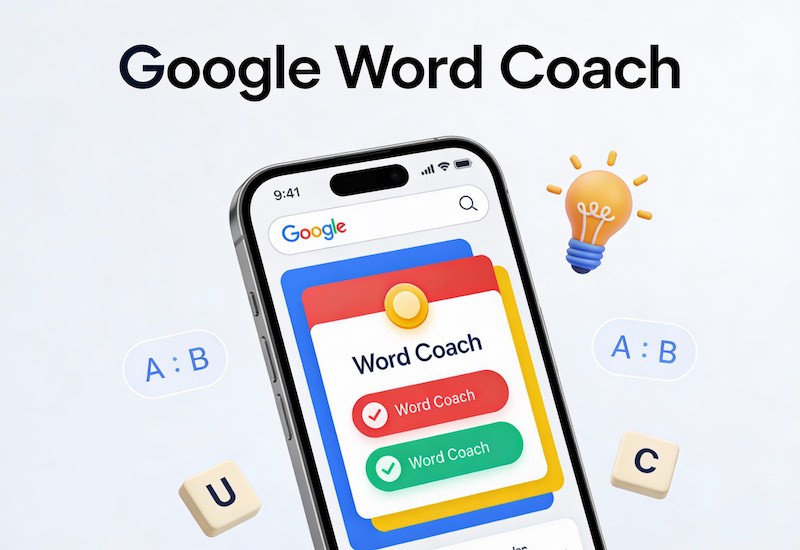
Google Word Coach is a free, interactive and fun game that is directly available on Google Search and helps users to learn new words by taking short quizzes that use synonyms, images, and antonyms. In transforming language learning into a game can make learning vocabulary more enjoyable and may encourage smaller, more frequent sessions of learning than traditional memorization by rote.
Google Word Coach: The Fun Way to Upgrade Your Vocabulary in 2025
A strong vocabulary is no longer only an exam requirement, it’s an essential capability for securing interviews, composing sharp emails, and proving confident in daily conversations. The issue is that traditional methods such as jotting down vocabulary checklists or even carrying hefty vocabulary textbooks frequently are boring and not sustainable.
Google Word Coach offers a refreshing alternative. It integrates vocabulary training into the same spot you are already spending your time in Google Search and transforms it into an easy game-like test. In just a couple of taps you’ll be able to test your knowledge on synonyms, antonyms and word meanings, gain points, and learn new words without feeling as if you’re “studying.”
What Is Google Word Coach?
Google Word Coach is an interactive game for assessing vocabulary by Google to aid users in improving their English vocabulary in a visual, easy and fun way. It appears as a tiny card in the search results when you type in “Word Coach,” “Google Word Coach,” or often under translation and dictionary boxes when you are looking up the meanings of words.
Each round is typically comprised of multiple-choice quizzes that require you to:
- Choose the right word’s synonym or antonym.
- Find a word that matches the correct image or a contextual clue.
You are awarded points when you answer correctly, check your score instantly and you can move on with the following round should you would like to. Correcting incorrect answers is a gentle process usually with a reason that helps you comprehend the reasons for your mistakes instead of merely remembering your “right” option.
How to Open and Play Google Word Coach
Because it’s integrated with Google Search, you do not need to install an application or sign up for an account in order to access Word Coach. Access to Word Coach is nearly instantaneous and is among the primary reasons that users are able to practice more often.
Here are easy ways to start playing:
- Search directly: Enter “Google Word Coach” or “Word Coach” into the Google search bar of your mobile device. The test card will appear on the first page of results.
- By using dictionary lookups: When you are searching for the meaning of a term Word Coach could show on the dictionary or on a translation card to prompt you”Play. “Play.”
- Tap and continue Tap and continue: Select “Start” or answer the first question in order to begin. the typical round contains five questions and you can continue playing rounds for as long as you want.
Because it’s integrated right into Google Search, you can transform any idle time such as waiting in line for commuting, taking a quick break between projects — into productive time to practice your vocabulary.
Features That Make Google Word Coach Effective
Google Word Coach may look like a light-weight game however, a variety of design options can make it a powerful learning tool to help you develop your vocabulary.
Game-like scoring and progression
Word Coach utilizes streaks, points and increasing difficulty to keep learners engaged in a healthy manner. When you complete more of the questions correctly, your score increase and more difficult words start appearing, which provides a feeling of achievement and challenge.
Multiple question formats
Instead of merely displaying plain definitions The game mixes:
- Questions about Synonyms (“Which word is related to …?”)
- Antonym Questions (“Which word is the opposite of …?”)
- Visual questions in which you connect a word with an image.
The variety of words you can choose from forces your brain to think about words in a variety of ways, and is believed to enhance understanding as well as better recall in the course of time.
Quick feedback and gentle correction
Following each word, Word Coach informs the user immediately if they were correct or not and usually highlights the correct answer by providing a brief explanation. This instant feedback loop stops you from repeating your mistakes and assists you in noticing subtle differences between words with similar sounds.
Adaptive difficulty
The program automatically adjusts the level of questions according to your performance. It introduces more complicated vocabulary if you are consistently able to answer correctly, and reintroducing simpler terms when you are struggling. This approach is adaptive, ensuring that you’re constantly being challenged and not overwhelmed and is an essential aspect of long-term engagement.
Repetition in varied contexts
Words don’t just pop up in one instance; you could see the same word in the future as synonyms, antonyms or in a picture-based quiz. The repetition of words in different situations strengthens the relationship to the meaning of a word and its use and is associated with more retention rates than simple repetition.
Why Google Word Coach Is So Effective for Vocabulary Building
Gamified vocabulary tools blend design, psychology and pedagogy in order to make learning seem as if it’s a game. Google Word Coach is a prominent example of this style and provides a number of advantages over traditional methods of learning vocabulary.
1. Higher engagement than word lists
Word lists that are static and long do not keep learners engaged for months or even weeks particularly when they are trying to balance work, exams or everyday responsibilities. Word Coach turns vocabulary into fast-fire rounds, with scores Word Coach encourages “just one more round” and leads to more frequent exposure to the new vocabulary.
2. Better retention through context and repetition
Studies of gamified learning have shown that the practice of contextualization and repetition exposure dramatically improve the speed at which learners can retain the new vocabulary. For example, in Word Coach, seeing the identical word across different formats – including definition synonym, antonym and even an image aids learners in building a more complete mental picture of the word’s meaning as well as usage.
3. Active recall, not passive reading
Every question makes you remember the meaning of a word as well as its relationship or contrary from memory, instead of just reading the definition and then moving forward. This is a well-tested method of increasing memory and increasing how fast you can recall the proper word in your speech or writing.
4. Always available, zero friction
Since your word coach is a part of Google search and there are no fees, applications or difficult set-up. Anyone with access to the internet can start learning right way, this eliminates common barriers that hinder students from pursuing more formal classes.
Who Can Benefit from Google Word Coach?
While Google Word Coach looks simple but it is a valuable tool to a variety of students and professionals.
- Students and exam aspirants Students who are preparing for exams such as IELTS, TOEFL, GRE or competitive exams may benefit from the daily sessions with Word Coach sessions to build up their vocabulary without pressure.
- Non-native English people: Those who want to learn english as an additional language can start practicing everyday to polish their english and enhance the confidence level.
- Job seekers and professionals: A strong vocabulary can improve the quality of your email writing, presentations and even interviews. Word Coach gives you a quick method to improve your word choices when you have a busy schedule.
- Marketers and creators of content Bloggers, copywriters, as well as SEO professionals can utilize Word Coach to explore synonyms and similar words to help their content become more natural and diverse which in turn can help SEO.
Tips to Get the Most Out of Google Word Coach
Using Word Coach in a casual manner can be helpful however, a few easy practices can transform it into an effective daily learning routine.
- Daily short Practice: Plan to play game on daily basis for atleast short span. Daily practice and regular sessions will improve the skills in long term.
- Keep a note of new vocabulary its meaning and example so you can revisit them and learn in a correct way.
- Try to use new words in your daily situations:Try to use new words in your daily conversations with your friends and colleagues. Also, try to use them on social media platform and emails.
- Examine your mistakes: Be aware of the words you frequently miss and search for more examples of sentences to learn the way they are used in the context of.
In time, these simple behaviors can change Word Coach from a casual game into a useful tool for improving your communication abilities.
FAQs About Google Word Coach
Does Google actually have a Word Coach game?
Indeed, Google Word Coach is an official quiz feature that is available within Google Search on mobile browsers for a variety of users and regions. It is focused on English vocabulary, and might not be accessible in every language or location at present.
How do I quickly open Google Word Coach?
The most efficient method is to search “Google Word Coach” or “Word Coach” into the Google search bar on your phone. the quiz box will show on the right side of your results, if it’s available in your area.
Can I trust the answers in Google Word Coach?
The questions and their answers are compiled with Google’s language information and are intended to reflect correct and standard English usage. If you encounter a word that is difficult it is possible to cross-check definitions on the dictionary card which is often displayed alongside the game.
Does Google Word Coach work offline?
No, it’s an internet based application so it requires active internet always.
Who should use Google Word Coach?
Anyone who wants to improve their English –from school students and college students to professionals in the workplace and casual learners will benefit from Word Coach frequently.





 GBP
GBP GMB Reinstatement
 Web Development
 Content Marketing
 Social Media Marketing
 ORM
ORM