


Have you ever tried to find the source of a viral video and couldn’t? If yes, you’re not alone.
Videos move quickly through blogs, social media as well as messaging apps and news sites.
Often, the source of the video is lost in the process.
That’s why reverse-video search is useful.
Reverse search for video can help you trace back a video to its beginning, locate similar videos, verify authenticity, or learn where and how a particular video is reused online.
Video content is playing an integral part in journalism, marketing research, as well as the creation of content. Being able reverse-search a video is no longer a luxury, it’s an essential digital ability.
In this article, we’ll take everything step-by-step and show you six reliable ways to reverse-search the video you want to watch.
What Is Reverse Video Search?
The reverse video search technique is a method that is used to locate the information about an individual video, rather than looking for the video using text.
Instead of typing in keywords, you can:
- Use a screenshot from the video
- Upload it to a search engine or tool
- Let the system find visually similar or identical content online
Since most search engines don’t support full video uploads for reverse search, the process relies on key frames from the video.
Why Reverse Video Search Matters
Reverse video search is beneficial in a wide range of real-world scenarios like:
- Finding the creator of the viral video
- Finding the complete version of a brief clip
- The process of determining whether the video is genuine or has been altered
- Examining whether your videos are being used without your permission
- Discovering similar videos for content inspiration
- Identifying the people, places or objects that are shown in the video
- Videos that verify the accuracy of news stories or on social media
For journalists, marketers, researchers and writers this method can save time and increase accuracy.
How Reverse Video Search Works
Reverse video search works by analysing visual data.
Search engines scan elements such as:
- Colours and pixel patterns
- Shapes and layouts
- Objects, faces, landmarks, or text
- Visual similarities across indexed images and videos
If you upload a picture the system will compare it with billions of thumbnails and images already indexable on the internet.
Important to keep in mind:
Even a tiny alteration in resolution, angle or cropping may impact the outcome. That’s why choosing the best frame is crucial.
How to Reverse Search a Video: 6 Effective Methods
Below are six methods to reverse search videos using widely available tools.
1. Reverse Video Search Using Google Images
Google doesn’t per
mit reverse-search via video however, it works well using images.
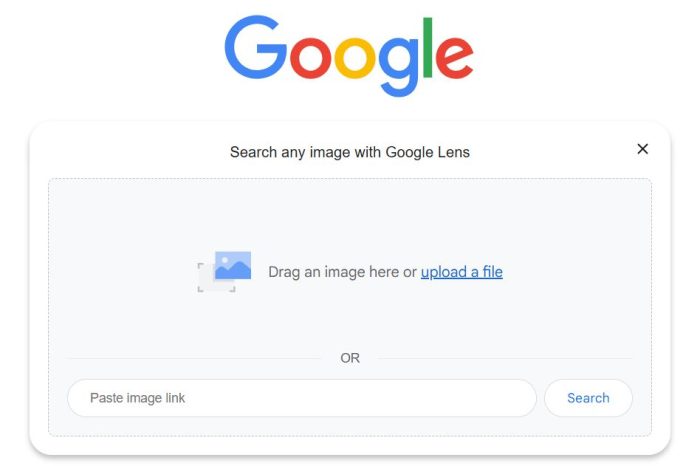
Steps:
- Pause the video and play it in a clean frame with a unique, distinctive shape
- Make a screen-shot of the frame
- Go to Google Images
- Select the camera icon (Search for images)
- Upload the image
- Check the results
Google may show:
- Websites that use the same frame
- Related images
- Original sources that could be possible.
This technique is easy and can be effective for widely shared or popular videos.
2. Reverse Video Search with TinEye
TinEye is a reverse image search software that is renowned for its precision.
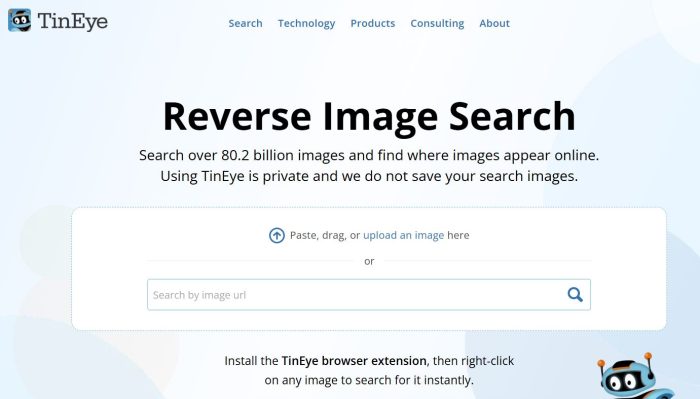
Steps:
- Make a screenshot of the video
- Visit TinEye
- Upload the image, or copy the URL to the image
- Begin the search
TinEye helps you:
- Track where the image was the first time.
- Find out how it was is distributed across different websites.
- Recognize versions that have been modified or cropped
It’s particularly helpful to track source information.
3. Reverse Video Search Using Bing Visual Search
Bing has a great visual search function that is similar to Google.
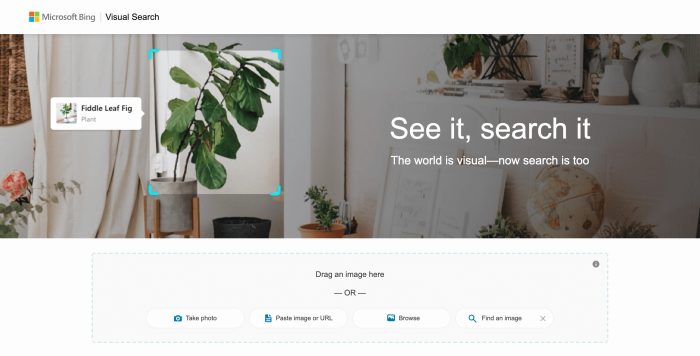
Steps:
- Take a clear picture of the video
- Open Bing Visual Search
- Drag or upload the image
- Review results related to the review
Bing often finds sites that Google does not, making it an alternative.
4. Reverse Search a Video with Yandex Images
Yandex is renowned for its high recognition of images, particularly for faces and places.
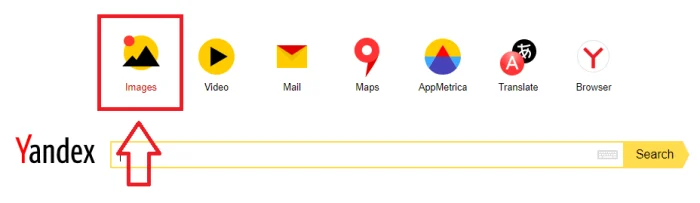
Steps:
- Go to Yandex Images
- Click the icon to search for images.
- Upload your screenshot
- Explore for results
This technique is surprisingly efficient when other tools do not work.
5. Reverse Video Search Using Berify
Berify search results across several search engines simultaneously.
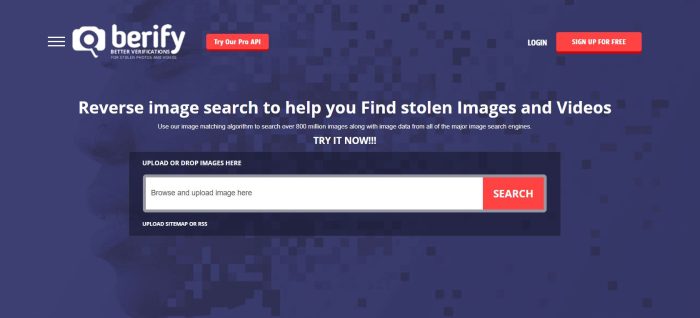
Steps:
- Upload the video’s screenshot
- Start your search
- Review results from various platforms
Berify provides limited searches for free as well as paid plans that allow for frequent usage.
It’s helpful to have a wider range of search results all in one location.
6. Reverse Video Search Using Shutterstock
The search-by-image feature of Shutterstock is helpful to find commercial or stock-style content.
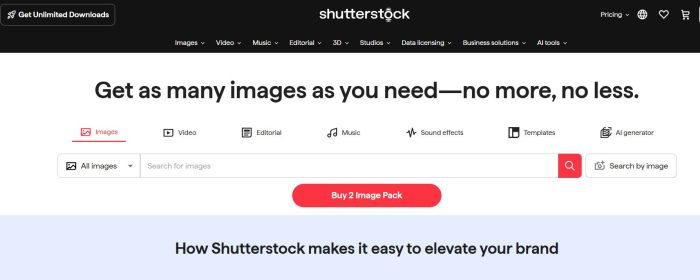
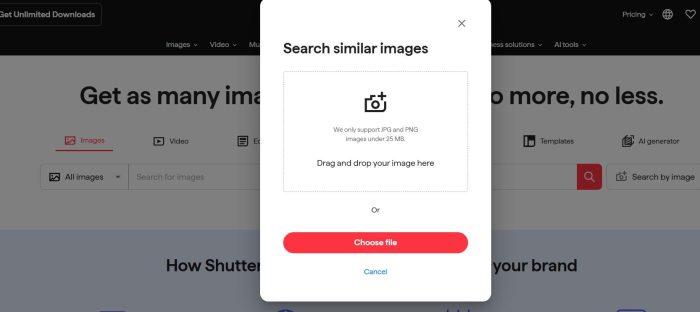
Steps:
- Take a screen shot of the video
- Go to Shutterstock
- Select the camera symbol on the search bar.
- Upload the image
- Results of filtering if required
This technique can be useful in finding professional-produced or stock footage videos.
6 Practical Tips for Better Reverse Video Search Results
The reverse search doesn’t always work flawlessly. These suggestions can improve the accuracy of your search:
- Select the best frames
Select an unmistakable, clear scene with no motion blur. - Try a variety of frames
Different frames may produce different outcomes. - Utilize high-quality screenshots
Higher resolution increases the accuracy of matching. - Check multiple tools
Every platform comes with its own database. - Be sure to filter results with care.
Every match will be pertinent. - Please be patient
new or private videos might not be able to show results immediately.
Reverse Video Search FAQs
- Does reverse video search work on mobile phones? Yes. Take a screenshot and upload it using mobile browsers.
- Can YouTube reverse search videos? No. YouTube doesn’t offer reverse video search.
- Do I need an account to use reverse video search tools? Most tools don’t require signup for basic searches.
- Is reverse video search safe? Yes, as long as you avoid uploading private or sensitive content.
- Can reverse video search help detect fake news videos? Yes. It’s commonly used for verification and fact-checking.
- How often should creators check for video misuse? Once or twice a month is ideal for active creators.
- Can I reverse search a video using only a URL? Some tools allow it, but screenshots work better.
- Does reverse video search support GIFs? Yes, screenshots from GIFs often work.
- Will it work with blurry videos? Results may be limited or inaccurate.
- Why am I getting no results? The video may be new, private, or not indexed yet.
Final Thoughts
The reverse video search technique is a mighty tool in today’s digitally content driven environment.
Whether you’re checking information, protecting content, or seeking ideas, the ability to master this technique gives you an advantage.
If you’re looking to improve the quality of your videos for search, visibility and exposure, SpiderOrbit Technologies can help you transform your videos into a real asset for growth.





 GBP
GBP GMB Reinstatement
 Web Development
 Content Marketing
 Social Media Marketing
 ORM
ORM