




When your Google Business Profile is not verified, your business ope
rates with one hand tied behind its back.
The business name is visible in search results to the customers but you can’t access the profile (check here how to access GMB Profile). You can’t reply to customer reviews and can’t post any offers and updates.
Google Business Profile verification is the gatekeeper process. It ensures that only real businesses and authorized owners are able to manage listings that are displayed on Google Search and Google Maps.
In this comprehensive 2026 guide, we’ll go over:
- How does Google Business Profile verification works
- All verification methods are available by 2026.
- Step-by step instructions for each method.
- What do you do after confirmation
- Common problems with verification and solutions
- Many frequently asked queries from owners of businesses
What Does Google Business Profile Verification Actually Mean?
Verification is Google’s method for checking three things:
- Your business is genuinely exists in real world
- It operates from the indicated address or in the service area.
- You have the authority to manage it
In the absence of verification, Google treats your profile as untrustworthy.
Once your business is verified, it gets a boost in Google’s credibility that directly affects credibility, trust, and rankings potential.
Why Verifying Your Google Business Profile Is Critical
The verified profile can unlock features which directly impact the growth of your business:
- Visibility in Google Search and Maps
- Respond to customer feedback
- Access to performance insight and analytics
- Control over details of business and information
- The ability to publish posts such as offers, events, and posts
- Protection against user and competitor edits
Profiles with no verification are more likely to:
- Lower rank
- Lose visibility
- It is edited incorrectly
- Suspension issues may arise in the future
Verification is not optional- it’s essential.
How to Get Your Business Verified on Google (2026 Overview)
To verify your Google Business Profile, you must go through Google’s verification procedure.
By 2026 verifying video is one of the frequently used method for triggers particularly for:
- New business listings
- Address changes
- Name changes
- Category changes
- Suspended or reinstated profiles
Note: Facing a suspended Google Business Profile? Our suspension removal guide explains why suspensions happen and how to recover your listing safely without further risk.
Yet, Google may offer different verification options based on:
- Profile age
- Existing online data consistency
- Business category
- Previous ownership status
- Trust signals across the web
After verification is completed Your profile will then be completely controllable.
Important:
Profiles which are complete and compliant to Google’s standards are much more likely to pass verification without difficulty and will avoid suspensions in the future.
Google Business Profile Verification Methods (2026)
Google currently employs five methods for verification. Not every company will be able to use all of them.
1. Video Verification (Primary Method in 2026)
Video verification is now Google’s preferred method because of extensive use of old methods.
This technique will require you to record a brief continuous video that proves:
- Your business’s place
- Your operations
- The authority you have to run the company
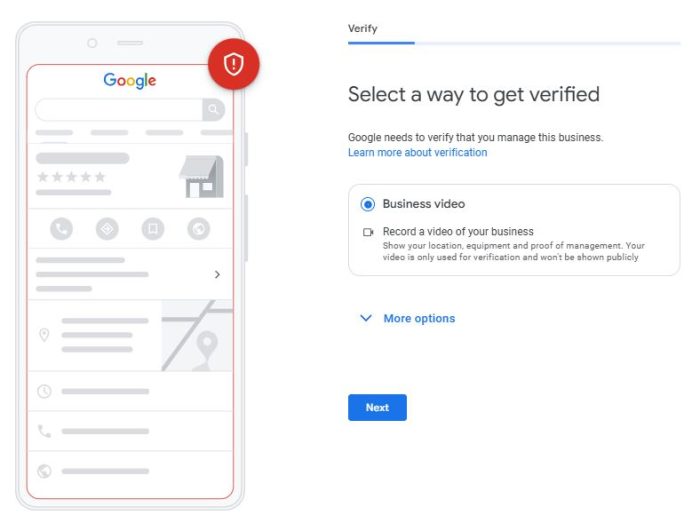
Steps to Verify via Video
- Log into the Google Business Account you have created. Google Business Profile
- Choose the location of your business (if appropriate)
- Click Verify now
- Choose Start
- Make sure you record and send your verification video
What Google Expects in the Video
Your video should clearly demonstrate various trust indicators like:
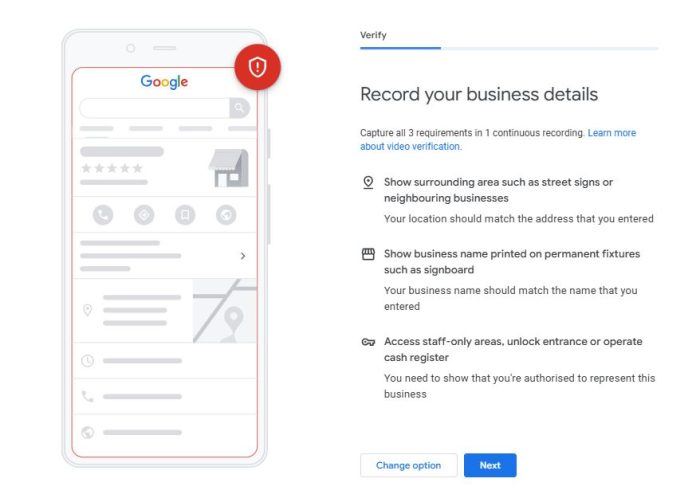
Location proof
- Street signs
- Exterior of the building
- Nearby landmarks
Proof of business
- Office setup or workspace
- Tools, equipment or displays
- Material or products with a brand name
Management evidence
- The business entrance can be locked
- POS system
- Access to storage rooms
- Workplace continuity within the workplace
Google strongly recommends:
- No faces
- No sensitive documents
- No interruptions
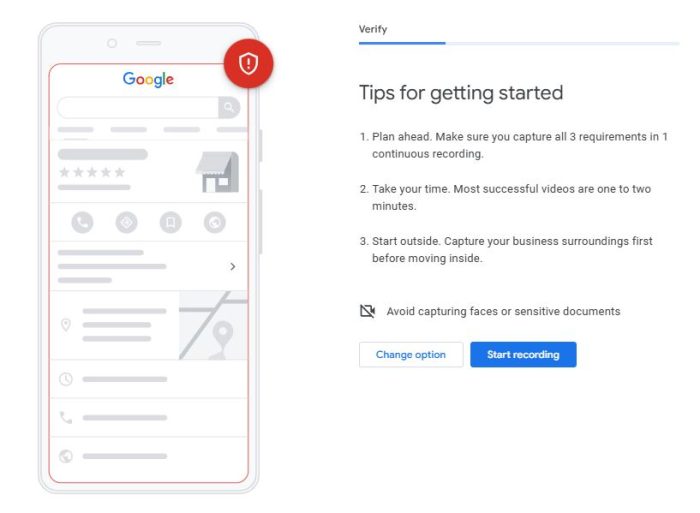
Best method:
Include signs that announce the entry point and lock it These two signs dramatically increase the likelihood of approval.
2. Instant Verification (Very Rare)
Instant verification occurs in the event that Google already has trust in your company.
This can happen in the following situations:
- Your company’s information is highly reliable online
- Your website has been verified using Google Search Console
- Your listing has been around for a long time without any modifications
- Google already has solid third-party proof
If it is available, verification will be completed immediately, without delay.
3. Phone Call Verification
The service of verification of calls to the phone is generally provided to:
- Older listings
- Profiles that were previously unclaimed
- Listings that have steady phone numbers.
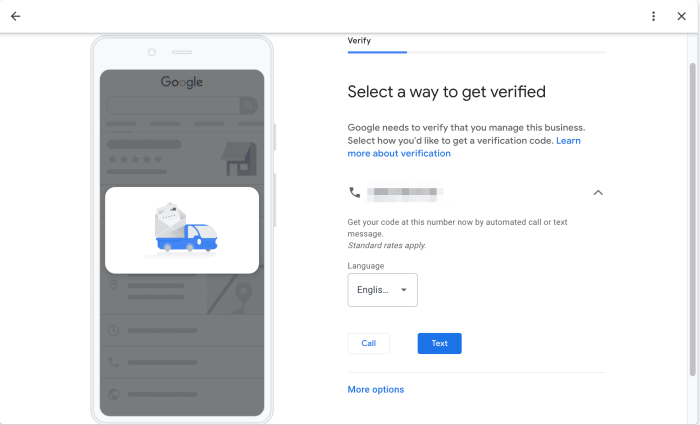
Steps
- Sign in to Google Business Profile
- Choose the right business
- Click Verify now
- Select Call
- Enter the code in the automated call
The call will be routed to the number within your personal information.
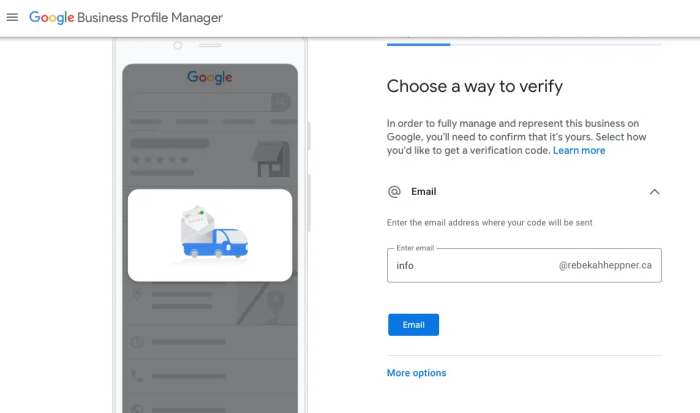
4. Email Verification
Email verification could appear alongside phone verification on profiles that are eligible.
Steps
- Sign in to Google Business Profile
- Select the place
- Click Verify now
- Choose Email
- Confirm the confirmation via the email received
The email address must be owned by the company owner or the official domain.
5. Postcard Verification (Discontinued)
Card verification was widely used in the past, but will no longer be available ahead..
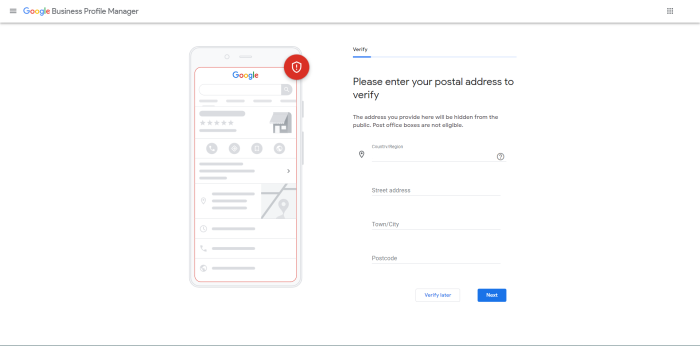
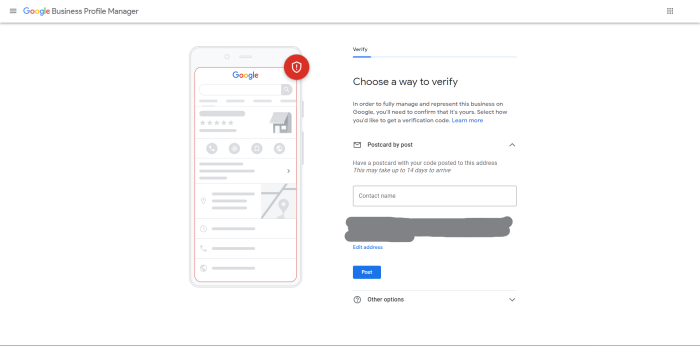
Google has officially ceased to use it because of:
- Delays
- Address error
- The use of fraud and other fraudulent methods
What to Do After Your Google Business Profile Is Verified
Verification is just the beginning.
After confirmation, you should immediately:
- Upload photos of high-quality (logo interior, exterior)
- Add attributes and services
- Write your first Google post
- Respond to reviews already in progress
- Allow messaging (if appropriate)
- Find out business hours and contact information
If a profile is verified, but not optimized, it won’t perform well.
Common Verification Problems (And How to Fix Them)
Video Verification Rejected
- Missing signage
- No clear entry proof
- Inconsistent address signals
Fix: Re-record with clear exterior → entry → interior flow.
No Verification Options Showing
- Profile incomplete
- Information recently changed
- Policy review pending
Fix: Complete profile fully and wait 24–48 hours.
Wrong Verification Method Triggered
- Google assigns methods automatically
Fix: You cannot force a method — only comply or wait.
Frequently Asked Questions (FAQs)
How long does Google Business Profile verification take?
- Phone call: Instant
- Email: A few minutes
- Video: 3–5 business days
Can my business operate without verification?
Yes, but visibility and control will be limited. Long-term growth requires verification.
Can I change my verification method?
No. As of 2025, Google controls the method assignment.
Why does Google prefer video verification now?
It reduces fake listings and confirms real-world existence more reliably.
Need Help Verifying Your Google Business Profile?
Verification failures, repeated rejections, or profile suspensions are common — especially with video verification.
At SpiderOrbit Technologies, we help businesses:
- Verify profiles successfully
- Resolve rejected video verifications
- Recover access to listings
- Prevent suspensions
- Optimise profiles for local dominance
Expert handling saves time, avoids mistakes, and protects your visibility.
Final Thoughts
Google Business Profile verification is not just a checkbox — it’s a trust signal.
In 2026, businesses who ensure they are correct and optimize their search will have massive advantage in search engine optimization. Here, You try our Google Business Profile optimization services.
Verify once. Optimise consistently. Grow locally with confidence.





 GBP
GBP GMB Reinstatement
 Web Development
 Content Marketing
 Social Media Marketing
 ORM
ORM